

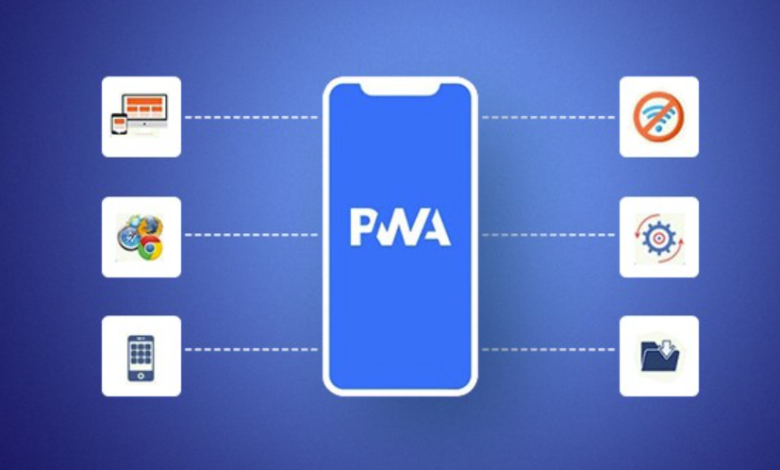
Users today expect web-based experiences to be quick, dependable, and seamless—no matter what device they are using or what the quality of the network is. Progressive Web Apps (PWAs) are the solution in this case. A PWA is a web application that has been enhanced using the latest features of browsers so that it acts more like a native mobile application. It is able to load quickly, function when offline or on poor networks, send notifications (if this feature is supported), and can even be installed on the home screen. PWAs are a practical subject for learners taking a full stack developer course since they lie at the point where front-end performance, browser APIs, and actual product requirements meet.
What determines whether an application is considered a progressive web app?
A Progressive Web App isn’t a separate language or framework; rather, it is a set of features and best practices applied to a standard web application. A PWA typically includes:
- A Web App Manifest is a JSON file which describes how the app appears after it has been installed (specifying its name, icon, theme colour, and display mode).
- A service worker is a script that runs in the background and enables offline functionality, allows pages to cache data, and deals with network requests.
- For HTTPS, secure delivery is a requirement when it comes to service workers and this helps to protect users from man-in-the-middle attacks.
- The app must be responsive so that it adjusts to various screen sizes and orientations.
If these features are implemented correctly, the user will be able to open the programme from an icon on the home screen, have quick load times, and still be able to use the main features even if the network is not available.
See also: Vibe Coding and Developer Wellbeing: A New Approach to Tech Culture
Service Workers and Offline Capability
One of the most valuable features of a PWA is its offline capability, which is achieved through the use of a service worker. This service worker functions in a manner similar to a programmable network proxy situated between the browser and the internet, so that rather than the browser always retrieving content from the server, the service worker can decide whether to:
- Serve cached files instantly
- Fetch fresh data from the network
- Use a fallback response when offline
This enables several common strategies:
Cache-First
To speed things up, the app first provides cached resources and then updates the cache in the background. This approach is helpful for static assets such as CSS, JavaScript bundles, icons, and fonts.
Network-First
To begin with, the app attempts to use the network in order to get up-to-date information and switches to the cached data if it is offline. This approach is typical when it comes to dynamic content like dashboards, product listings, or news feeds.
Stale-While-Revalidate
It immediately provides a cached response and at the same time retrieves an updated one in the background, thus achieving fast responses without losing freshness.
In most actual projects a combination of these strategies is employed. The ability to choose the appropriate caching behaviour is a key skill that is taught in a full stack course since it has an impact on user experience, data accuracy, and performance.
Installation, App-Like UX, and Performance
PWAs are designed to have a “native” feel even though they do not require users to go to an app store; if the browser detects that an app satisfies the installation requirements (for example, by having a manifest and a service worker), it will display an install prompt. After being installed, the app can:
- Launch in a standalone window (without the browser address bar)
- Use an app icon and splash screen
- Offer quick launch and smoother repeat visits due to caching
Another important benefit is performance. PWAs appear to be faster since they store the essential resources after the initial loading. This is particularly useful in areas where users regularly switch between good and poor network conditions. A well-designed website can still seem slow if on each visit it has to download the large bundles once again. PWAs eliminate this repeated overhead.
For those who are developing e-commerce sites, learning portals, or internal tools, this can have a direct effect on engagement, bounce rate, and conversion rates. It is because of these product-related issues that many learners come across PWAs while taking a full stack developer course.
Push Notifications and Background Sync
Depending on platform support, PWAs can also provide features commonly associated with native apps:
Push Notifications
Notifications can be used to re-engage users by means of reminders, updates, or offers, but it is important to use them with care since notifications that are poorly timed or irrelevant cause people to opt out and result in a lack of trust. A good implementation should include:
- Clear permission prompts (not immediate pop-ups on page load)
- User controls to manage notification preferences
- Meaningful, contextual messaging
Background Sync
Background sync enables an app to store actions while it is offline and then carry them out again when connection is restored. For instance, a user could complete a form, add items to their cart, or save some notes without being online. Once the network is available again, the app automatically synchronises the changes. This is very useful in cases involving field work, travel, or when using learning apps in areas where internet access is unreliable.
When PWAs Are a Good Fit (and When They Are Not)
PWAs function most effectively in cases where you need wide reach and good performance without having to pay for the development of separate mobile applications. They are suitable for:
- Content platforms and learning portals
- Retail and catalogue apps
- Event and booking systems
- Internal business tools used on multiple devices
PWAs might not be the best choice, though, if your situation involves a heavy dependence on device-specific features that are only poorly supported by browsers, or if app-store distribution is a hard business requirement. Since the constraints of each platform are different, teams usually assess PWAs together with native or hybrid solutions.
Conclusion
Progressive Web Apps bring the ease of web access together with the features that users generally associate with native applications. Through the use of service workers, manifests, and the various browser APIs, PWAs are able to offer fast loading times, functionality when offline, and an installation experience similar to that of a regular app. For someone enrolled in a full stack course, creating a simple PWA is an excellent project for a portfolio since it shows off performance thinking, the use of modern web tools, and user-centred design. And for developers attending a full stack developer course, understanding PWAs enables you to build web applications that work reliably in real-world situations—where networks fail, the range of devices varies, and user expectations are high.